
Adapt Forecast updates your Forecast AI training plan using what you actually did and what you can realistically still achieve before your goal date. It first rebalances the next 7 days, then makes smaller adjustments across the remaining plan if needed—helping keep your calendar on track when training or availability changes.
Definition
Adapt Forecast is the feature that lets you re-optimize your Forecast AI training plan when life happens.
Use it to update your plan after changes like:
- Missed workouts, extra training, or pinned workouts/activities
- Updated availability or schedule changes
- Changes to your program settings
Unlike rigid training plans that break when you miss a day, Adapt Forecast helps keep your plan aligned with your goal—without starting over.
What It Represents
Forecast AI creates a training plan based on your current fitness level, available time, & your goal date. Adapt Forecast is how you keep that plan accurate when real life happens — missed sessions, added rides, schedule changes, or updated settings.
Think of it as telling Xert: "Recalculate my plan using what I actually did, and what I can still realistically achieve from here."
How Adapt Forecast Adjusts Your Plan
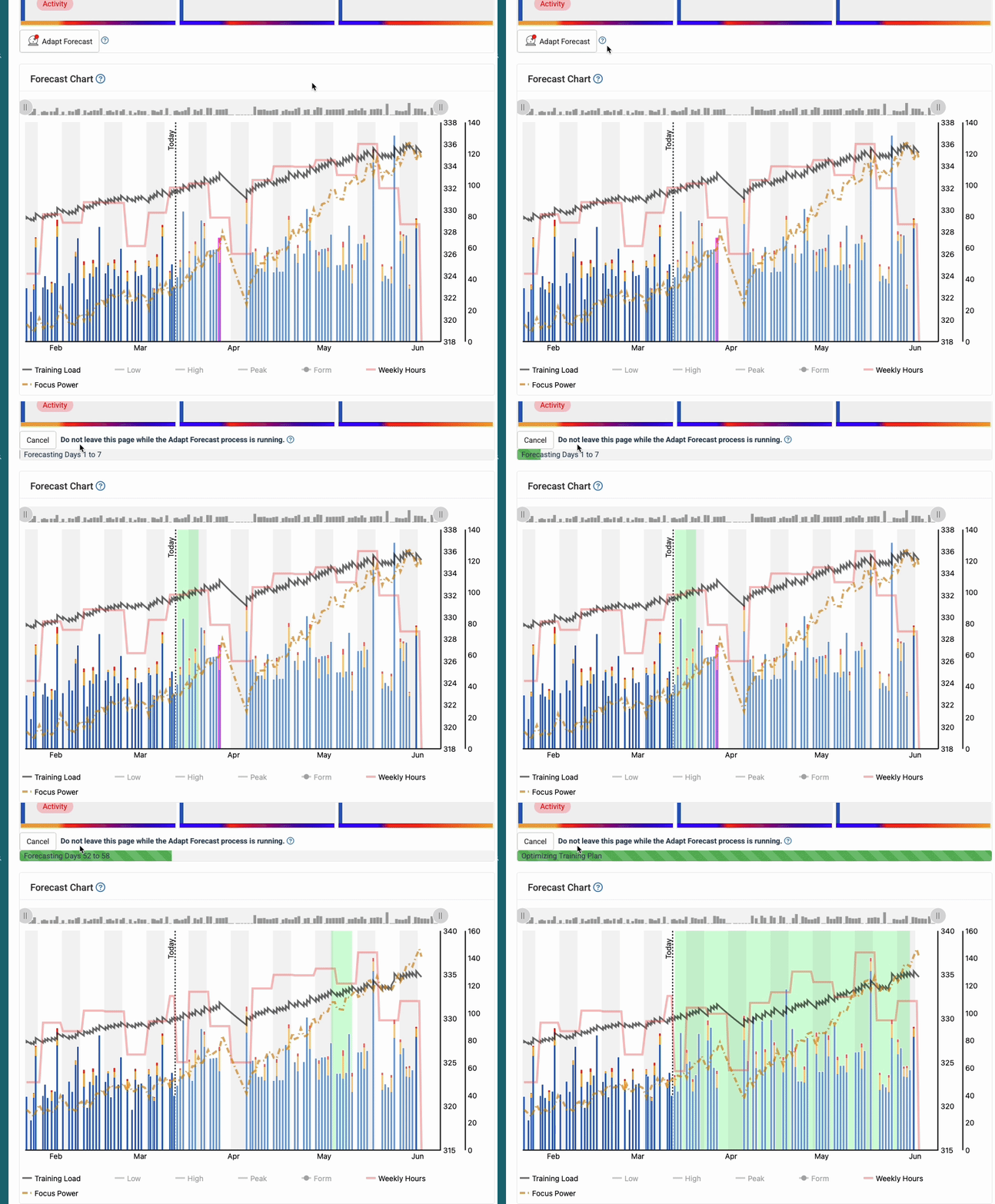
When you run Adapt Forecast, Xert typically tries changes in this order:
- Optimize the next 7 days first — It will reshuffle and rebalance the upcoming week to get you back on track as quickly as possible.
- Make small adjustments across the full plan, if needed — If a one-week shuffle isn’t enough, it will apply smaller changes throughout the remaining plan while keeping your constraints intact (availability, goal date, plan structure, etc.).
- If the plan can’t be salvaged, you may need to re-forecast — If the plan has very little flexibility (time-crunched, high demands, limited available days), Adapt Forecast may not be able to reconcile the change. In that case, you may need to adjust your goal/settings or re-forecast a new plan.
Rule of thumb: Run Adapt Forecast when you add a major ride/race, miss key sessions, or change your training availability or program settings.
Where You’ll See It
- On the Today Page
- In the Fitness Planner
Common Misunderstandings (FAQ)
When Should I Run Adapt Forecast?
Xert will show a red dot indicator on the Adapt Forecast button when your plan may benefit from adaptation.
How often should I Adapt Forecast?
You may run Adapt Forecast more often when you’re new to it, or when your schedule is changing frequently. If you’re following the plan closely, you may only need it occasionally.
Why doesn't Xert Adapt my Forecast Automatically?
Adapt Forecast does not run automatically by design. It only runs when you ask Xert to update your plan.
Re-optimizing your plan can change upcoming training days and intensities. Xert keeps this user-controlled so you decide when the plan updates - rather than having your calendar change unexpectedly.
What happens to scheduled workouts and activities?
When you run Adapt Forecast, any scheduled workouts or activities that are not pinned may be removed—because they may no longer be the best fit after the plan adjusts.
Before adapting, you’ll see a prompt listing workouts/activities that will be removed. Pin anything you want to keep.
Why won't the red dot go away on the Adapt Forecast button?
This can happen when Xert cannot resolve an identified issue with your program (e.g. suggested training exceeds available training time). To resolve, you can adjust your availability on that day, adjust your training program goals & re-forecast the training program, or just leave it and Xert will do the best it can to achieve your program goals. Use the Forecast Chart and search for XSS matchsticks outlined with Magenta - those are days/activities where Xert has identified an issue.
I got an error message when trying to adapt? What should I do next?
If Xert fails to adapt the forecast, it usually means there is some issue with the plan that the Forecast optimizer cannot resolve, or that the original program target can no longer be reached (if you've fallen significantly behind your training). You may need to adjust your goal/program settings before adapting, or create a new Forecast plan with an updated target.
Comments
0 comments
Please sign in to leave a comment.