
Best for: Athletes who want to free ride, group ride, or race in a virtual platform—while still using Magic Buckets to stay aligned with today’s Low/High/Peak strain targets.
In this guide: The simplest setup options, how to make sure both apps get power data, and what to do when Bluetooth connections are limited.
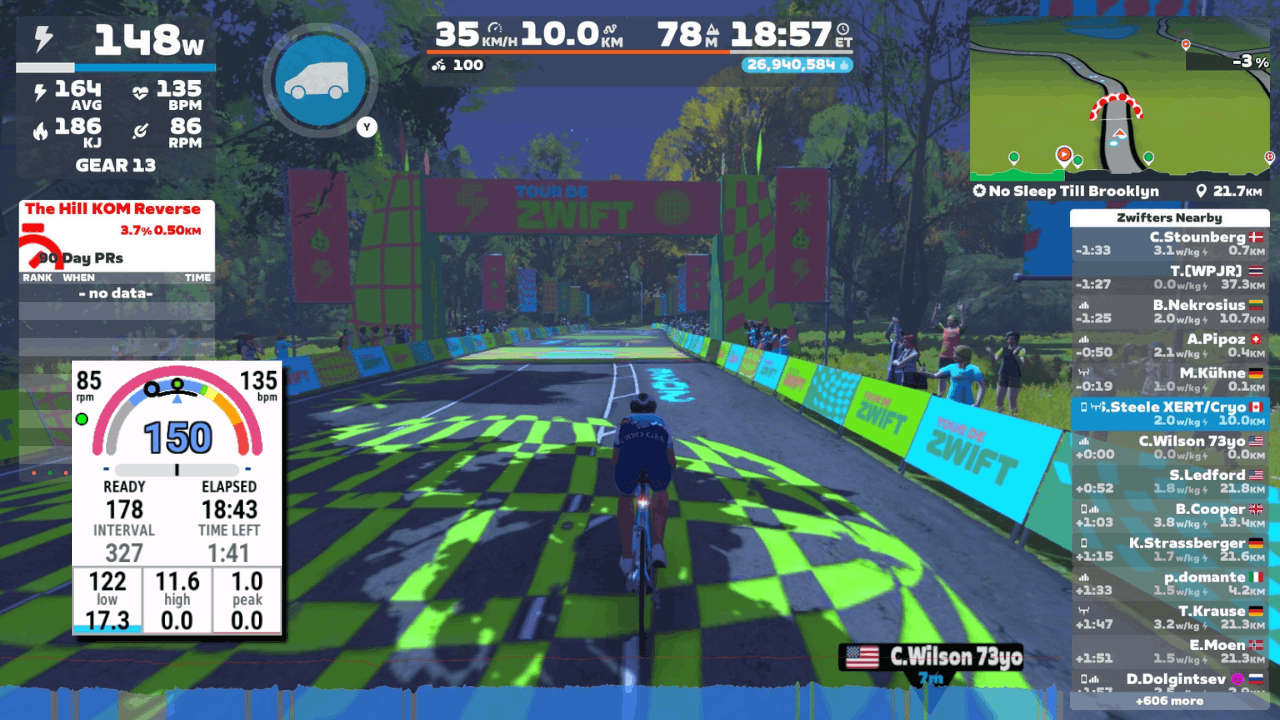
Quick Answers
- Your virtual platform (Zwift/ROUVY/MyWhoosh) needs to control your trainer (Resistance/Controllable) and receive Power so your avatar moves.
- Magic Buckets (Garmin/Karoo/Xert EBC) also needs to receive Power data so buckets can fill and guidance can update.
- If your trainer/power meter only supports one Bluetooth connection, use ANT+ to feed power to Garmin when possible—or use a second sensor source (like a separate power meter).
The Basic Concept: two apps need power data
When combining Magic Buckets + a virtual platform, you’re essentially running two apps at the same time:
1) Virtual Platform — Zwift/ROUVY/MyWhoosh
Needs:
- Controllable trainer: so terrain changes resistance for your trainer
- Power: so your avatar moves
- Optional: cadence/HR
2) Magic Buckets Device — Garmin/Karoo/Xert EBC
Needs:
- Power: so buckets fill and targets update
- Optional: cadence/HR
If Magic Buckets isn’t receiving power, it can’t update your progress.
Recommended Setups
Option A — Garmin + Magic Buckets
Goal: Virtual platform controls the trainer, Garmin receives power for Magic Buckets (via ANT+)
Recommended pairing:
-
Virtual platform:
- Controllable Trainer: required
- Power: often comes from the trainer; pair dedicated power meter if you have one
- Optional: HR
-
Garmin (Magic Buckets field):
- Power Source (ANT+):
- Best/Recommended: Power meter via ANT+
- Alternative: Trainer power via ANT+ (pair trainer as power source, not as controllable trainer)
- Power Source (ANT+):
- Optional: Pair HR strap to either device/platform (or both)
Important: If using a virtual riding app & Garmin, be sure to disable/unpair your trainer on your Garmin devices to avoid “two apps fighting” over resistance.
Option B — Hammerhead Karoo + Magic Buckets
Goal: Virtual platform controls the trainer, Karoo receives power to run Xert EBC screens/Magic Buckets.
Recommended pairing:
-
Virtual platform:
- Controllable Trainer: required
- Power: often comes from the trainer; pair dedicated power meter if you have one
- Optional: HR
-
Karoo:
- Power source: Power meter (via ANT+)
- Trainer Control: DISABLED
To Access Magic Buckets on Karoo:
- Start the ride normally on Karoo
- Tap your MPA or XSS field to open Xert EBC in-ride
- Swipe to the Magic Buckets screen
Related: Magic Buckets on Karoo: Setup + How to Use [link]
Option C — Xert EBC (Android) + Magic Buckets (no head unit needed)
Goal: Virtual platform controls the trainer, Xert EBC receives power to run Magic Buckets.
Recommended pairing:
-
Virtual platform:
- Controllable Trainer: required
- Power: often comes from the trainer; pair dedicated power meter if you have one
- Optional: HR
-
Xert EBC: Provide power via one of these methods:
- Pair a separate power meter (Bluetooth or ANT+ using a compatible dongle)
- If your trainer supports multiple connections, pair trainer power to EBC as well
Many trainers have limited Bluetooth connections. If EBC can’t connect to the trainer while a virtual platform is connected, you’ll need a second power source (power meter) or to use ANT+ with the virtual riding platform.
Common problem: “My trainer only supports one Bluetooth connection”
This is the #1 reason setups don’t work on the first try.
Solutions:
- Use ANT+ for your head unit (Garmin/Karoo) and Bluetooth for the virtual app
- Use a separate power meter for your second device (Garmin/Karoo/EBC)
- If available, use a second Bluetooth channel (some Wahoo & Elite trainers support this, many trainers do not offer this option)
- Use a Bluetooth bridge / hardware solution (advanced; only if needed)
Tip: If you’re using Zwift with virtual shifting, Zwift must have the trainer paired via Bluetooth for proper functionality.
Best Practice Workflow
Once everything is paired:
- Start your session in Zwift/ROUVY/MyWhoosh & also start your activity on Garmin/Karoo/Xert EBC
- Watch your Magic Buckets fill as you ride. Follow the guidance to push hard & recover when needed.
- If you finish your virtual event (group ride, race, workout, etc.) but still have targets remaining, keep riding a bit to “top up” your buckets.
- When you're finished, save the ride from the virtual app/platform.
- You can either choose to save or discard the activity from Garmin/Karoo/Xert EBC. If you choose to also save the activity from Garmin/Karoo/Xert EBC, Xert will identify it as a duplicate activity so it won't double-count towards your training load, freshness, etc.
Troubleshooting
Buckets aren’t filling
- Confirm your Magic Buckets device (Garmin/Karoo/Xert EBC) is receiving power data from your power meter or smart trainer
- Confirm you’re recording an activity on the Garmin/Karoo (or that EBC is active and reading sensors)
Trainer Resistance feels wrong
- Confirm only the virtual platform is controlling the trainer
- If your Garmin/Karoo is paired to the trainer: disable trainer control or un-pair your trainer
Still stuck?
If you tell us:
- Your virtual platform (Zwift/ROUVY/MyWhoosh)
- Your trainer make/model
- Whether you have a separate power meter
- Your device (Garmin/Karoo/EBC)
- Whether you’re using Bluetooth, ANT+, or both
…we can recommend the cleanest pairing plan for your exact setup.
Contact support via email: support@xertonline.com
Comments
0 comments
Please sign in to leave a comment.