
Best for: Karoo riders who want Magic Buckets guidance mid-ride using Xert EBC screens on Karoo.
In this guide: Install Xert EBC on Karoo, add the required data fields, open Magic Buckets during a ride, and common fixes.
Want the deeper explanation of what Magic Buckets is and why it’s powerful?
See: Magic Buckets Overview
Want help understanding each screen/state with examples?
See: Using Magic Buckets in Real Time: Data Field Guide
Quick Answers
- Install Xert EBC from the Karoo Extensions menu.
- Add MPA or XSS to a Karoo ride profile.
- Start your ride normally, then tap MPA/XSS to open Xert EBC mid-ride.
- Swipe left/right to find Magic Buckets; swipe up / back to return to Karoo screens.
Step 1 — Install Xert EBC on Karoo
- On Karoo, open the Extensions menu. Find Xert EBC and tap Install.
Important: If you previously installed an older Xert app/extension, uninstall it first, then reinstall to ensure compatibility.
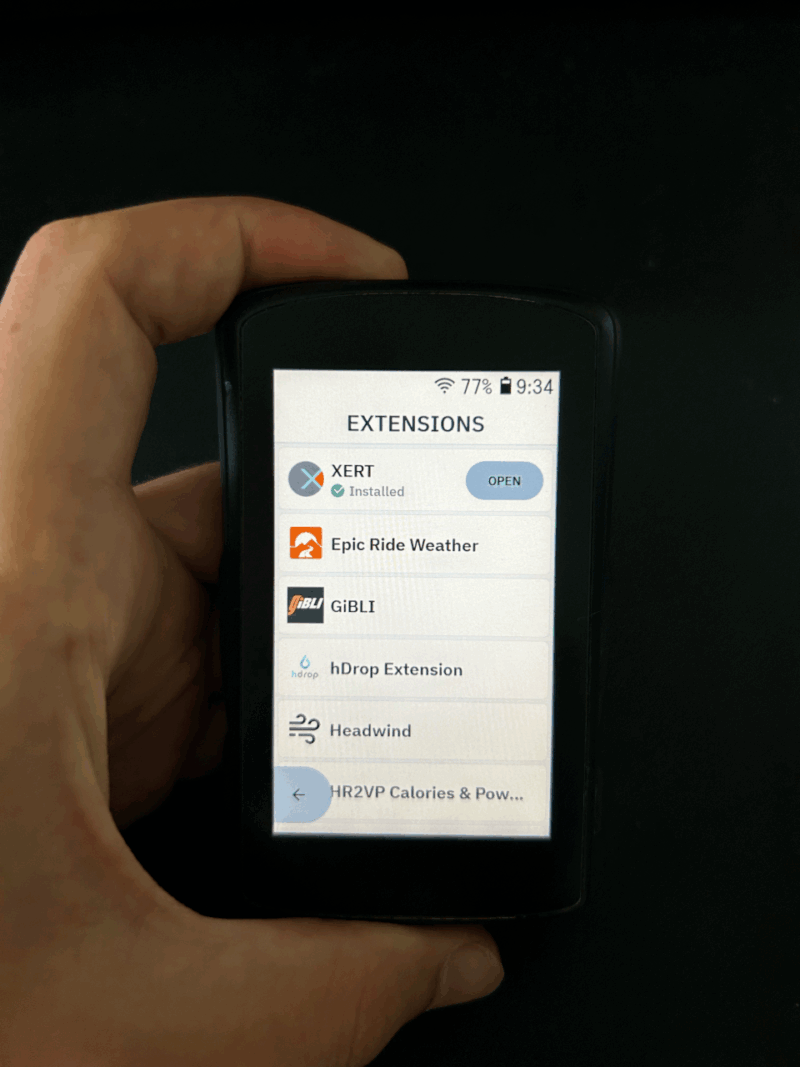
- Launch Xert EBC and sign in with your Xert username/password.
- Accept the requested permissions.
Step 2 — Add the MPA or XSS data field
To access Magic Buckets mid-ride, add one of these to your ride profile:
- MPA (Maximum Power Available), or
- XSS (Xert Strain Score)
- On Karoo, open Profiles
- Choose the profile you ride with (e.g., Road/Indoor)
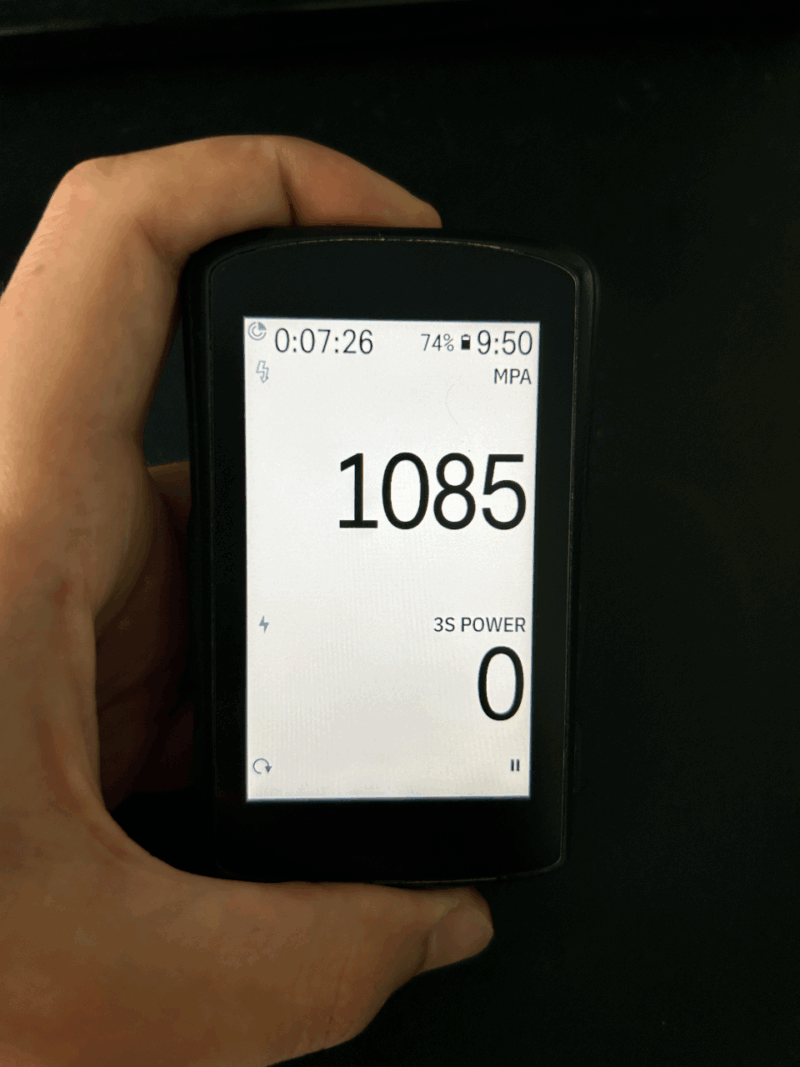
- Edit the data page and add MPA or XSS
- Save the profile
Step 3 — Open Magic Buckets during your ride
- Start your ride normally from the Karoo profile (no need to launch Xert EBC first)
- During the ride, tap the MPA or XSS field
- Xert EBC will open in-ride
- Swipe left/right through the Xert EBC screens until you reach the Magic Buckets data pages
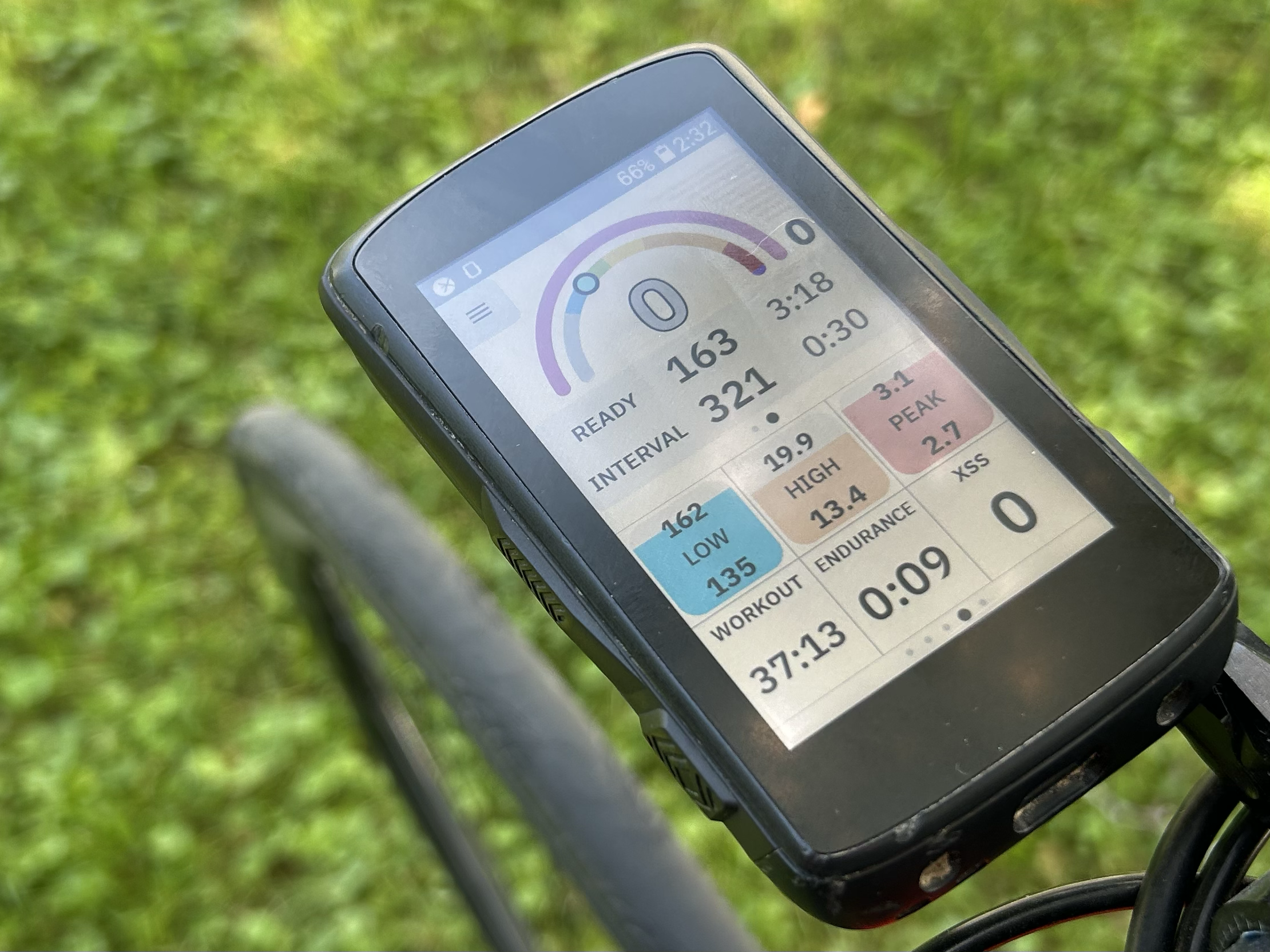
Want help interpreting what you’re seeing? Using Magic Buckets in Real Time: Data Field Guide
Step 4 — Exit Magic Buckets and return to Karoo navigation
To return to the normal Karoo ride screens swipe up or press the back / bottom-left button.
Important: You don’t need to pair sensors or record rides inside Xert EBC. Record using Karoo’s native activity recording—Xert EBC uses the sensors already paired to Karoo.
Common Questions (FAQ)
Do I need to schedule a workout to use Magic Buckets?
No. Magic Buckets works from your daily recommended Low/High/Peak targets. If you do have a scheduled workout, Magic Buckets may use that workout’s targets for the day.
I can’t find Magic Buckets once EBC opens — where is it?
Swipe left/right through the Xert EBC screens. Magic Buckets is one of the in-ride pages.
Why do I only see endurance-style guidance today?
Magic Buckets behavior depends on today’s targets. On days that are mostly Low-only, the guidance will look more endurance-focused.
Troubleshooting
I don’t see MPA or XSS as options in my profile editor
- Confirm Xert EBC is installed and up to date
- Restart Karoo
- Try reinstalling Xert EBC (uninstall → reinstall)
Tapping MPA/XSS doesn’t open Xert EBC
- Make sure the ride has started (in-ride behavior)
- Confirm you tapped the Xert MPA/XSS field (not a standard field)
- Restart the ride and try again
Targets look wrong or aren’t updating
- Confirm Karoo has internet access (Wi-Fi or phone tether)
- Close and reopen Xert EBC
- Compare with Today page targets in Xert (they should generally match)
Comments
0 comments
Please sign in to leave a comment.