
Definition
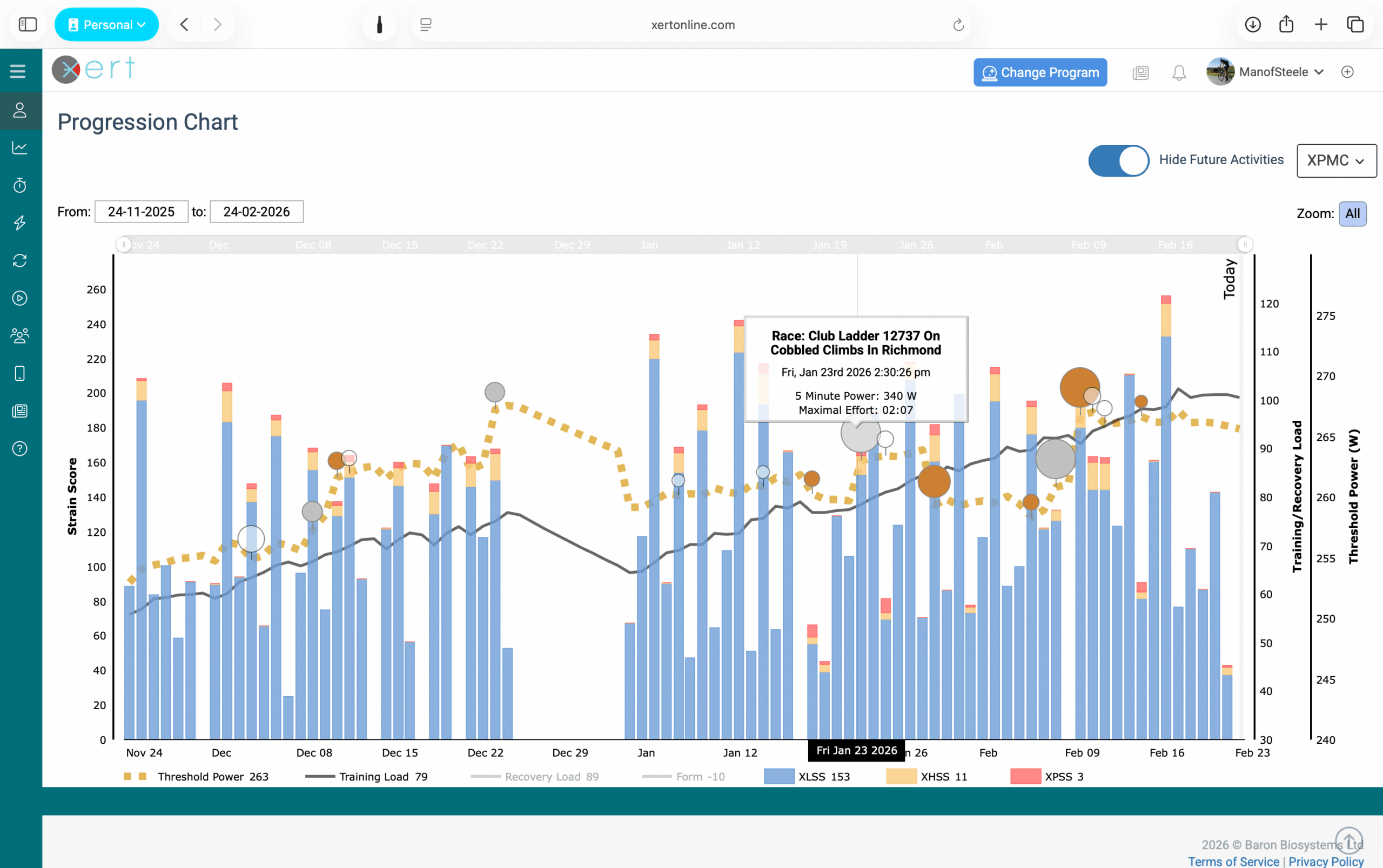
The Xert Performance Management Chart (XPMC) is Xert’s main training timeline. It visualizes how your training, recovery, and fitness are changing over time — so you can quickly understand where you’ve been, where you are now, and how your training is trending.
What It Shows
The XPMC combines several key views into one place:
- Training Load (TL): your accumulated training over time
- Recovery Load (RL): how much recovery you currently need (often hidden by default)
- Form / Training Status: your readiness trend over time, derived from Training Load and Recovery Load
- Daily XSS “Matchsticks”: each activity’s strain broken into Low / High / Peak contributions
- Progression markers: circles/medals that highlight Breakthrough or Near-Breakthrough performances and how strongly they expressed fitness
- Fitness metrics over time: such as Threshold Power and changes in your Fitness Signature (depending on the selected view)
In simple terms: the XPMC helps you connect your training (what you did) to your outcomes (how your fitness changed).
Why It’s Useful
The XPMC helps you:
- Spot long-term trends (building vs maintaining vs detraining)
- Understand whether you’re accumulating strain in the right mix (Low/High/Peak)
- Track progression, including Breakthrough-driven changes in fitness
- Identify plateaus or declines in performance
Customizing the Chart
At the top of the Progression tab, you can adjust the XPMC to view different time ranges such as:
- Forever (all data), Year, Year-to-date, 3 months, 6 weeks, or 2 weeks
- You can also click & drag to zoom in on particular sections of data, or move the sliders at the top of the chart
You can also hide or show the data you prefer to see on the chart by clicking on their title in the legend below the chart:
- Threshold Power
- Training Load
- Recovery Load
- Form
- XLSS, XHSS, & XPSS
You can also switch chart modes to explore different aspects of training and fitness, such as:
- XPMC, Stress, Strain, and Fitness Signature views
These modes help you see how changes in your Fitness Signature align with specific changes in your Low/High/Peak Training Loads over time.
Where You’ll See It
The XPMC can be found under the Progression tab:
Common Misunderstandings
- The XPMC is not just a “training stress chart.” Xert tracks training across three systems (Low/High/Peak), so the chart provides more detail than single-metric models.
- Recovery Load may be hidden by default because Xert summarizes recovery through Form (Xert's Training Status).
Comments
0 comments
Please sign in to leave a comment.