
Best for: Athletes who want a structured workout that hits today’s Low / High / Peak XSS targets, but don’t have access to the real-time Magic Buckets data field (or simply prefer a defined start/finish workout).
In this guide: How to preview, customize, generate, and schedule a Magic Buckets workout.
Quick Answers
- The Xert Workout Generator builds a one-off structured workout designed to hit your daily Low/High/Peak targets.
- You can customize high-intensity workouts using:
- Max Challenge Level (CL) (how deep it gets)
- Interval Duration (how long each work interval is)
- The generator is available directly on the Today page, and it’s also accessible from the Fitness Planner.
What the Workout Generator Does
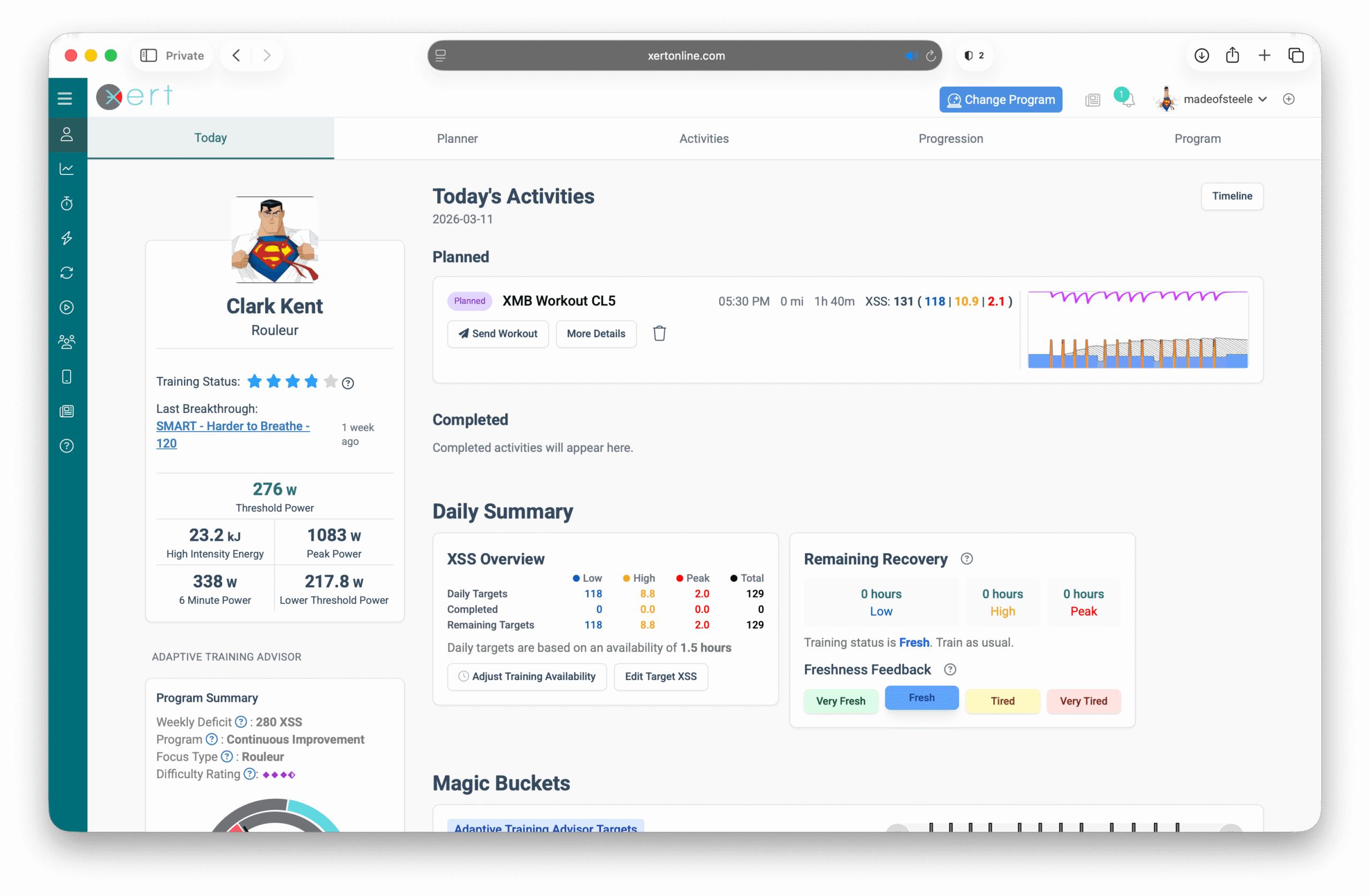
The Xert workout generator creates a structured workout using Xert's advanced Magic Buckets algorithm. It looks at your daily Low / High / Peak targets, and how much training you've already accumulated today, then creates a workout that fills the remaining “buckets” as efficiently as possible.
Option A — Generate a workout from the Today page
Step 1 — Open the Generate Workout widget on Today
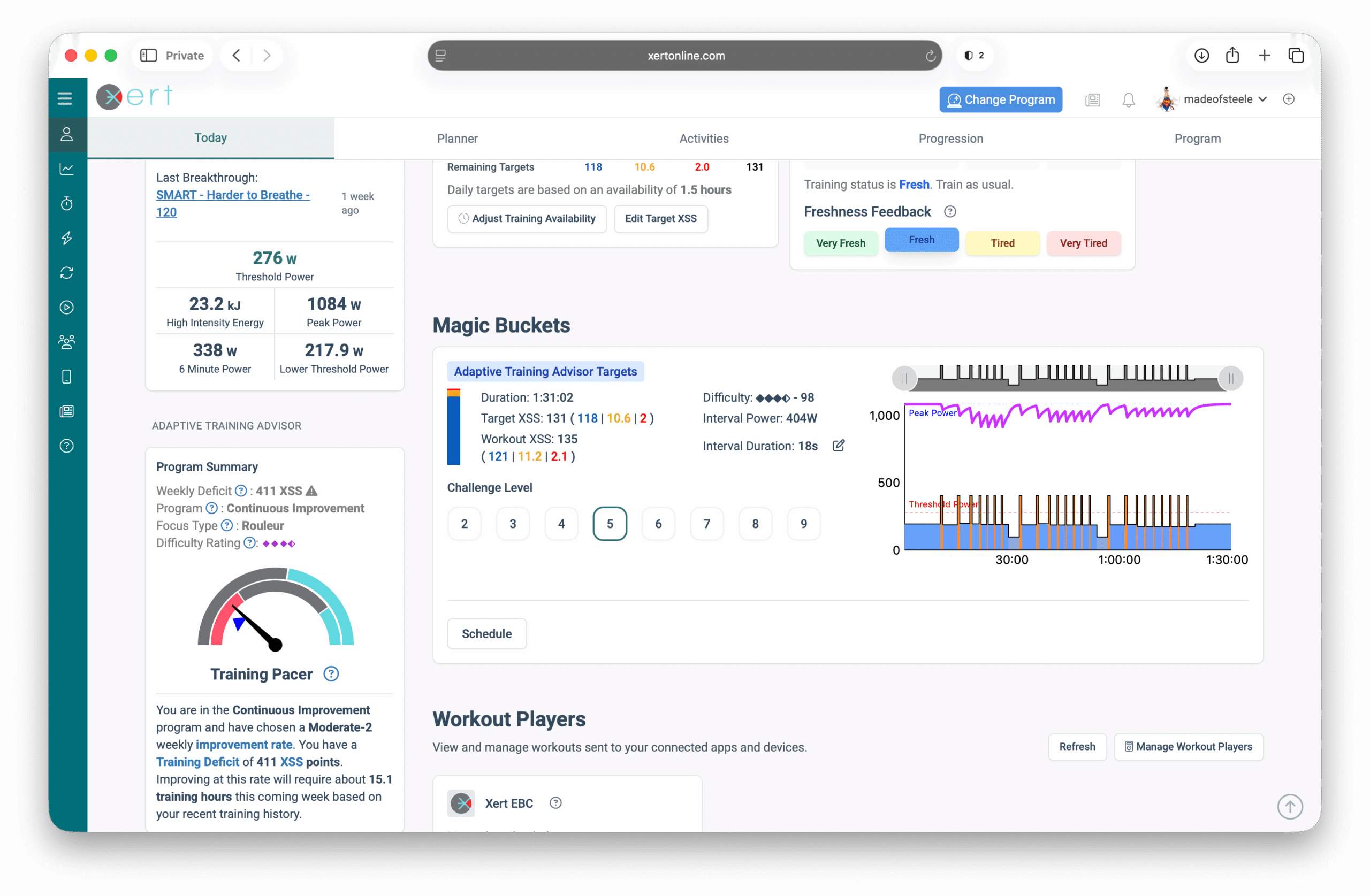
Go to the Today page and scroll beneath Choose Training. You'll see a Generate Workout widget.
Step 2 — Customize the Workout
Note that customizations are only available for high-intensity workouts with High & Peak XSS targets.
You can adjust:
Max Challenge Level (CL)
Controls how deep you go during intervals.
- Higher CL → more time-efficient but harder to complete
- Lower CL → more manageable, but may take longer
Related: Challenge Level (CL) glossary
Interval Duration
Sets the length of each high-intensity work interval (e.g., 20s vs 60s). Note that the more Peak XSS you need to accumulate, the higher power (and shorter) your intervals will be.
Tip: Interval duration changes the “feel” of the workout. CL changes the “depth” of fatigue reached during the work intervals.
As you adjust the max CL & interval duration, pay attention to:
- the target Low / High / Peak XSS — some combinations might not be optimal for the day's XSS targets
- the workout structure — repetitions & sets of intervals, with tapering difficulty
- the estimated duration & difficulty — more challenging workouts allow you to achieve the necessary XSS in less time
Step 3 — Generate and Assign to Forecast/Schedule
Click Schedule (or Assign to Forecast) to create your workout.
Once your workout is scheduled or assigned to your forecast, you can send it to your preferred workout player/device (if supported).
Option B: Generate from the Fitness Planner
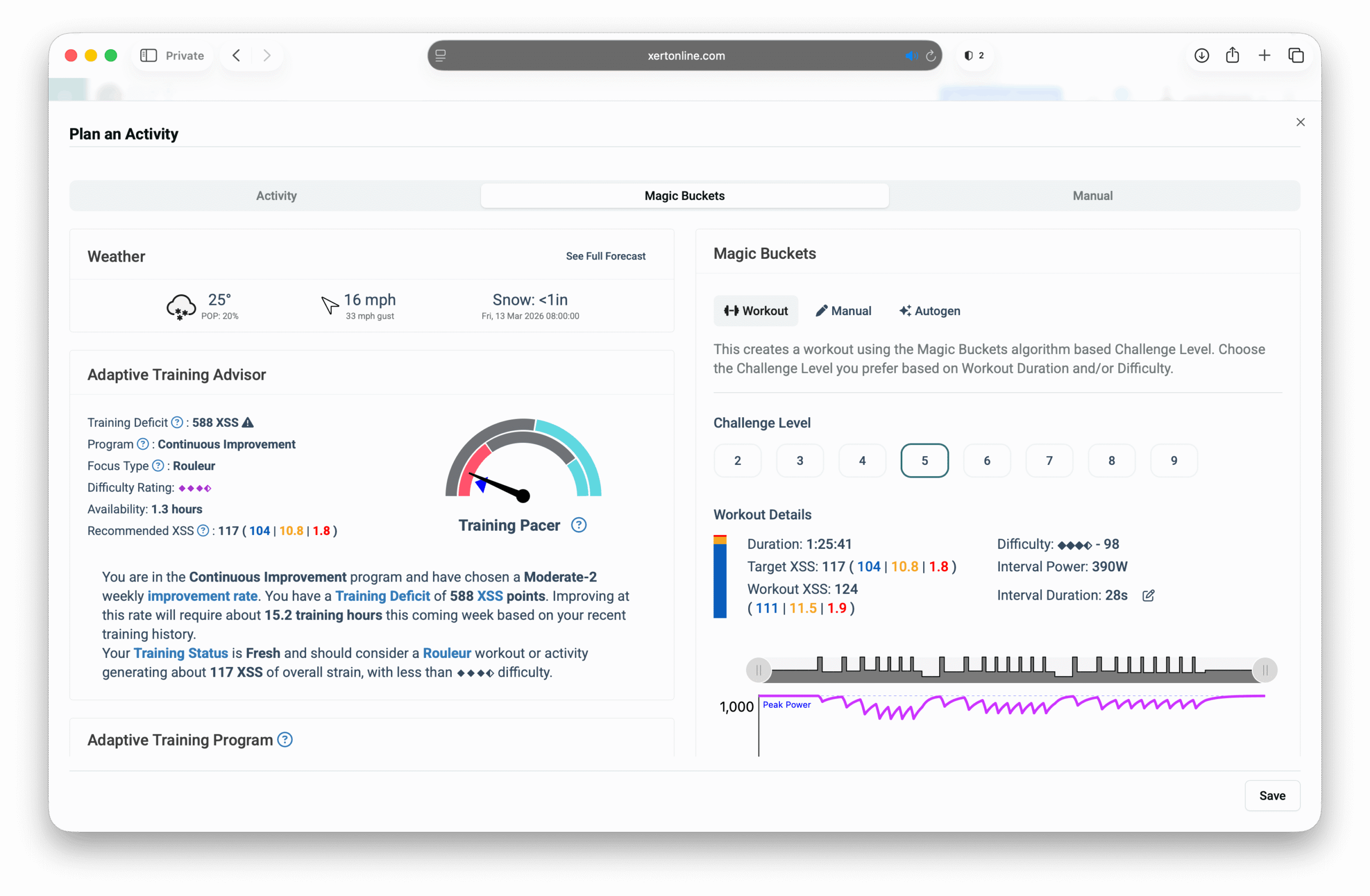
The generator is also available in the Fitness Planner, which can be useful when you’re planning ahead.
- Open Fitness Planner
- Go to the day you want to train
- Open the Magic Buckets generator (or “Choose Training” panel → Magic Buckets tab)
- Preview → adjust CL/interval duration → generate
What to Expect When You Do the Workout
- The workout is designed to hit the Low / High / Peak XSS targets shown in the generator.
- It will behave like a structured workout with a clear start and finish.
- Unlike the real-time Magic Buckets data field, the generator will not dynamically change CL/interval duration or interval target power on the fly — you're simply following a structured workout file.
If you want the most adaptive Magic Buckets experience: use the real-time Magic Buckets data field (Garmin, Karoo, or Xert EBC Android).
Related article: Magic Buckets Overview
Related article: Using Magic Buckets in Real Time: Data Field Guide
Common Questions (FAQ)
Should I choose a higher Challenge Level to finish faster?
Higher CL can reduce total time, but it’s also harder. If you’re new to Magic Buckets, start moderate (CL ~4) and work up over time.
Can I send the generated workout to Garmin/Zwift/etc.?
Yes—generated workouts can typically be sent like other structured workouts (subject to platform format limits). For full SMART behavior, use a Xert workout player when possible.
What happens to the workout after I’ve completed it?
Magic Buckets generated workouts are designed for a specific day’s Low/High/Peak XSS targets, so once the workout has been completed/used, Xert will automatically remove it to keep your workout library clean.
If you’d like to reuse the same workout in the future, make a copy of the workout before you ride it (and rename it if you want), and keep the copy in your personal library.
Comments
0 comments
Please sign in to leave a comment.